


How to Setup Trust Wallet for Binance Smart Chain

with ArbitrageScanner!
Trust Wallet has become the leading mobile gateway to DeFi, and the self-custody crypto wallet of choice for millions globally. As BSC (now known as the BNB Smart Chain) continues to gain dominance with speed and low cost, understanding how to properly set up Trust Wallet can be critical for all modern investors. This guide will provide step-by-step instructions on how to manage and interact with over 10B assets while keeping full control of your private keys / funds.
Initial Setup Process
Download instructions
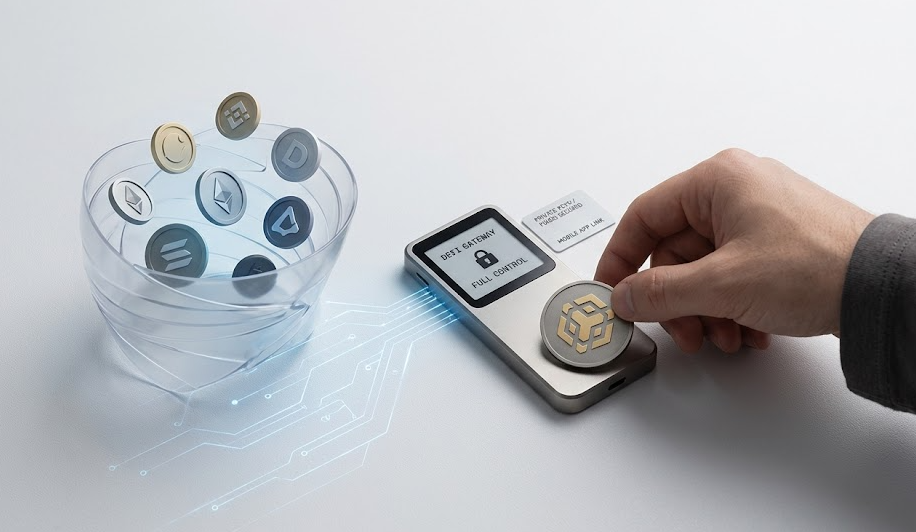
Before you can start investing in cryptocurrencies, there needs to be a secure working environment. Trust Wallet is a non-custodial wallet, which means you are the only individual with access to the cryptocurrencies stored in your wallet, and any data associated with that cryptocurrency is also solely owned by you.
The app is available for both iOS and Android. For security reasons, it is important to only download the app from an official source. You can download it on the App Store (iOS) or the Google Play Store (Android). You should NEVER download the APK file from another website, as those files often include malware that could steal your cryptocurrency.
Wallet creation
Once the app is downloaded and installed, you will click on the option to create a new wallet. If you currently have a wallet with another platform (like MetaMask), you will have the option to import your wallet using your current recovery seed. If you are new to cryptocurrency investing, the app will guide you through the process of building your new digital vault, and that is truly where your journey into cryptocurrency trading begins!
Security measures
One of the most significant factors when using Trust Wallet is security. At setup, Trust Wallet provides you with a 12-word Secret Recovery Phrase that acts as your key to accessing your private keys. Make sure that you write this phrase down on a piece of paper and keep it securely (preferably in fire-proof storage). Trust Wallet will not be able to help recover your token balance if this Secret Recovery Phrase is either lost or stolen.
Basic configuration
Once you have verified your Secret Recovery Phrase, you can begin using Trust Wallet and will have access to the main screen. You can configure two additional security features: Biometric Authentication (using FaceID or fingerprint), and a Transaction Signer Passcode to secure your Trust Wallet against an unauthorized individual accessing your phone. After configuring these features, you will be able to buy and sell digital assets directly from within your Trust Wallet application.
BSC Integration
Smart Chain setup
BNB BC supports BSC out of the box. The Binance Ecosystem contains multiple blockchains; however, BSC (BNB Smart Chain) is the blockchain with the majority of DeFi activity. Trust Wallet has built-in support for BSC, making it easy for both new users and experienced users to navigate.
When you first open your Trust Wallet, it will contain many digital assets (e.g., BTC and ETH). To use Trust Wallet to access BSC, confirm that you have enabled BNB Smart Chain in your Asset list. Unlike the previous Beacon Chain, the Smart Chain operates on the BEP20 protocol, allowing it to access Web3 Applications and operate with Smart Contracts.
Address management
BSC Wallet addresses are similar to Ethereum addresses: they start with a "0x" prefix. To locate the address for receiving your fiat-purchased BNB or other BEP20 tokens, tap on the “Smart Chain” logo (yellow and black) and then select “Receive.”
BEP20 deposits
You can also fund your crypto wallet by transferring crypto from an alternate source. When withdrawing from an exchange, always select to withdraw to the “BNB Smart Chain (BSC/BEP20)” network because incorrectly selecting a withdrawal network may result in permanent loss of funds. Most cryptocurrency exchanges will provide an alert if the address does not match the selected network’s address format.
BNB requirements
When using BSC, BNB is your means of paying for gas and network transaction fees. Every time you perform a trade, swap tokens, or stake, BNB must be paid as a fee. Always maintain between $5 and $10 worth of BNB in your account, so that you can make additional trades or swaps without being stalled by insufficient fees.
Token Management
Transaction viewing
Managing your exposure to various crypto assets is a fundamental feature within Trust Wallet’s application interface — the ability to manage and interact with thousands of custom tokens that will not display by default. To view your transaction history, tap on any specific cryptocurrency you hold. You will find a very clean list of your send, receive, and swap transactions. If you desire additional transaction detail, use your wallet address and go to the BscScan website to find the official blockchain explorer for BSC.
Asset transfers
Sending cryptocurrency is simple. Tap the cryptocurrency you want to send, tap “Send,” and enter the amount you would like to send. When you finalize your transaction, you’ll be able to see both the current liquidity available, as well as the estimated gas fee (which represents each transaction’s potential fee). This self-custody model gives you total control over when and how to make your move.
Balance checking
Total USD balance shows at the top of the screen; through market fluctuations and price changes, this amount will change rapidly. Trust Wallet employs price oracles that are trusted to demonstrate your crypto market value as written today.
ID verification
There is no requirement for KYC (Know Your Customer) at Trust Wallet, unlike centralized exchanges. However if you wish to purchase/sell crypto with fiat currency through some third-party connection or bridge partner (such as Simplex and MoonPay), then you may have to verify your identity as per global monetary policy standards.
DApp Integration
Browser setup
Trust Wallet integrates with different DApps (decentralized applications). This is one of the main reasons users adore using Trust. The Android version of Trust Wallet has its own Web3 browser built in. For iOS users, due to Apple guidelines, you will have to utilize “Wallet Connect” QR code to connect your mobile device to desktop DApps to trade on decentralized platforms without exporting your private key(s).
Popular platforms
The most commonly used Decentralized Exchange on BSC is PancakeSwap where you can swap tokens, add liquidity, and participate in derivatives trading. By connecting with Trust Wallet, you can enter into trade positions as quickly as possible, thereby eliminating the delays associated with conventional cryptocurrency brokerage.
Usage guidelines
Must Know Before Using DApp Sites:
- Always check the URL of the DApp site you are visiting; it's common for there to be phishing websites where your assets can be stolen, as well as trap you with market volatility due to being attached to weak-quality smart contracts.
- Make use of Reputable DApps to do transactions with.
Troubleshooting Guide
Common issues
While the Trust Wallet App is easy to use, you may still run into problems either due to market conditions or otherwise when using it. Learning some of the common Trust Wallet Connection errors can prevent you from wasting time trying to fix a problem and can potentially cause increased frustration. One of the most common problems with the Trust Wallet is that you receive a "Transaction failed" error. The most likely reason that you get this error is due to lack of BNB to pay for your network fees to complete the transaction, or your set "slippage" during a swap was too low to allow the swap transaction to complete. During periods of high volatility in the market consider increasing gas fees so that your transaction will gain the attention of miners.
Solutions
If you find that your Trust Wallet has not been updating properly, try refreshing your Trust Wallet app or check your internet connection. If lagging continues, you can choose to re-import your Trust wallet. Before doing this, however, be sure to write down your recovery phrase in order to complete the re-import process.
Security tips
Do not give out your recovery phrase to so-called support agents, they are not your friends! Once you have completed trading using a DApp, always disconnect your wallet from that DApp. If you are planning to store a significant amount of value long-term, it's always advisable to use a cold crypto wallet for those types of long-term holdings.
Best practices
Keeping up to date with financial contracts and strategies can help improve your trading. Be sure to update your wallet regularly so you always have the latest security updates and features like integrated wallets for NFTs.
Conclusion
For anyone who is interested in trading in a decentralized market, setting up Trust Wallet for Binance Smart Chain will be an essential skill set. This step-by-step guide will ensure that you are able to secure your crypto assets while also making them very accessible for DApp(s) and swap operations. Keep in mind that when dealing with self-custodial wallets, you are your own bank so please take all necessary steps to handle your funds with the same level of care and diligence you would if you were working with fiat currency.
FAQs
How to safely store backup phrases for Trust Wallet?
The best way to keep your 12-word phrase safe is to store it offline using a physical medium. Do not take screenshots of the phrase or save it to cloud storage; instead consider using a metal backup tool to protect your backup from being damaged by water or fire.
What are the minimum BNB requirements for transactions?
What is the minimum BNB required for making transactions? - BSC network transaction fees are low (most are less than $0.50), but it is still recommended to keep at least 0.05 BNB in order to cover multiple transactions and potential price fluctuations caused by gas prices.
How to verify successful BEP20 token transfers?
How can I verify that my BEP20 Token transfer was successful? - First copy your wallet address. Next go to BscScan.com and paste it in the search bar at the top of the page. You will be able to see a real-time record of all token movements and cryptocurrency trading activity that are associated with the account.
Which DApps are most compatible with Trust Wallet?
Which DApps work best with Trust Wallet? - Trust Wallet is highly compatible with PancakeSwap, Venus Protocol, and Alpaca Finance. Additionally, Trust Wallet also supports various NFT marketplaces and staking/hodling platforms within Binance.
How to resolve common Trust Wallet connection issues?
How do I fix Trust Wallet connection issues? - Clear mobile browser cache, make sure you are connected to the correct (Smart Chain) network, and restart the wallet app. For Trust Wallet users on iOS devices, utilizing WalletConnect will provide you with an easier connection method to web3.
Want to learn more about crypto arbitrage?
Get a subscription and access the best tool on the market for arbitrage on Spot, Futures, CEX, and DEX exchanges.

You might be interested
Navigating Crypto Bull vs Bear Markets

Passive Income Strategies in Cryptocurrency Markets

Creating a Successful Cryptocurrency Investment Portfolio
