


Orders: Features and Types
with ArbitrageScanner!
An order is an instruction you give an exchange to buy or sell an asset.
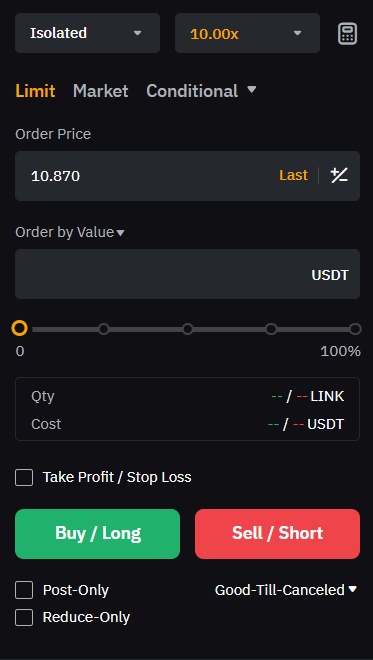
When creating an order, we specify what we want to do: buy or sell, at what price, and for what size.
Order Size Settings
Order size can be set by asset quantity or by value:
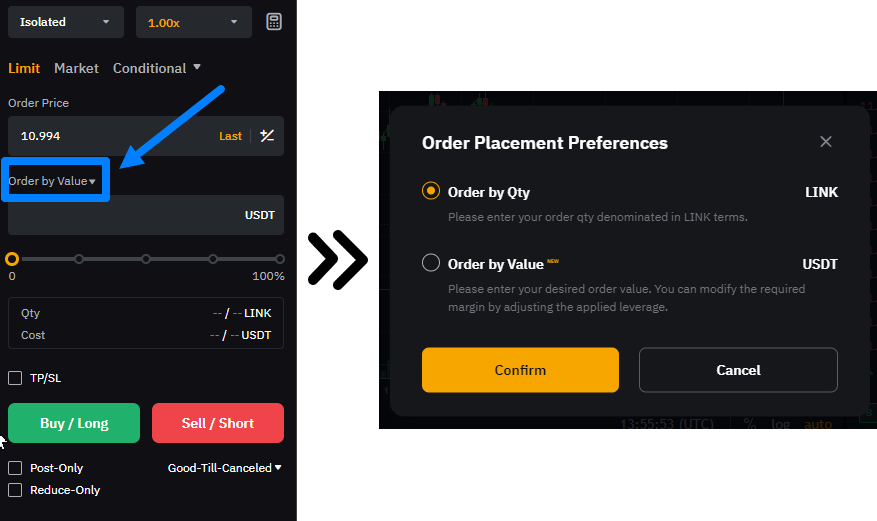
When choosing by asset quantity, we specify how many units (LINK in our example) we buy or sell. To enter the token amount, use manual input or move the slider:
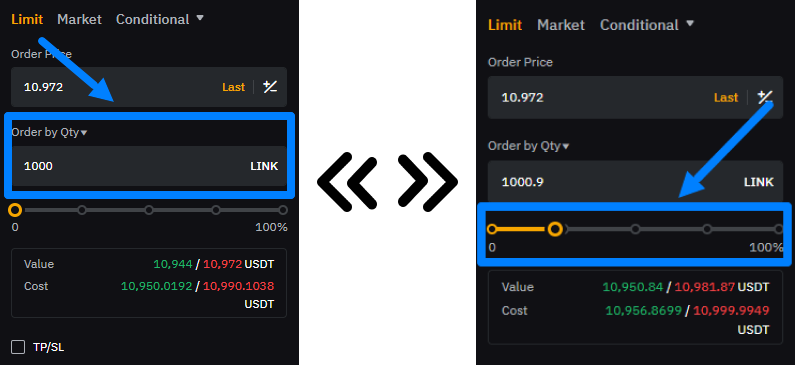
This order size setting is useful when you focus on the asset quantity and it’s important to enter the trade for that exact number of coins.
When choosing order size by value, we specify the amount of money we use to open the position. Here you can also use manual input or the slider:
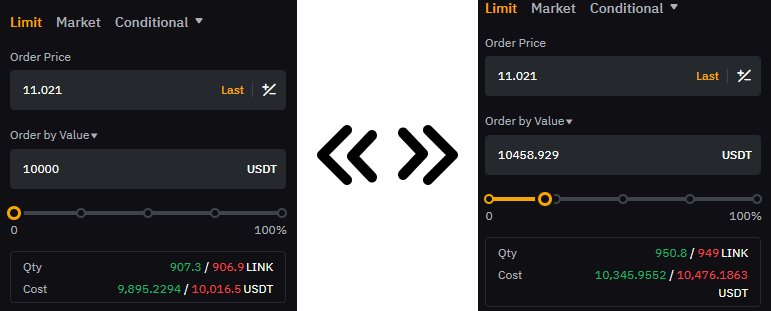
This type of order size setting is useful if you operate with a strictly limited budget and want to use part of your available funds as efficiently as possible.
So, depending on your approach and strategy, you can choose one of these methods.
In trading, it’s important to understand the different order types. Below we’ll cover the main ones.
Limit Order
This is an order to buy or sell an asset at a specified price or better. It is used if you want to buy an asset cheaper than the current market price or sell it higher.
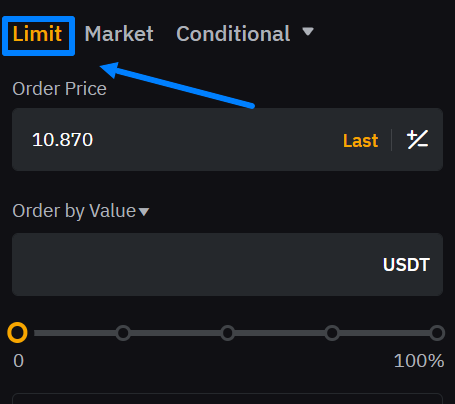
Limit orders add liquidity to the market because they enter the order book (market depth) and wait to be filled.
When you use a limit order, you become a maker because you “make” the market by adding liquidity.
Market Order
This is an order to buy or sell immediately at the best available price from the order book.
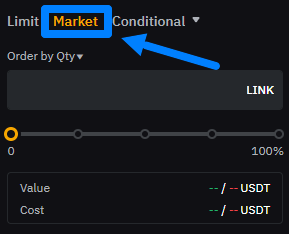
This order is used when execution speed matters more than the exact price. The execution price may be better or worse than expected, depending on market movement.
When using a market order, you become a taker because you “take” liquidity by filling existing orders.
Conditional Order
An order type that activates when the price reaches a specified level (trigger zone):
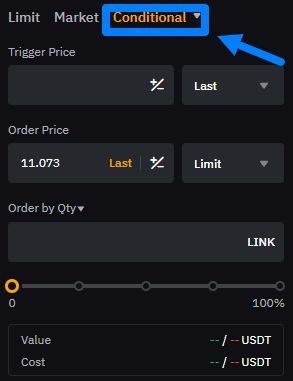
This order type is useful for automating trading — for example, when trading breakouts.
For example, we believe that if LINK breaks the $10.5 level, the price will continue moving downward. In the conditional order, we would set:
-
a trigger price of $10.5;
-
an order price at $10.4 using a limit order;
-
a size of 100 LINK.
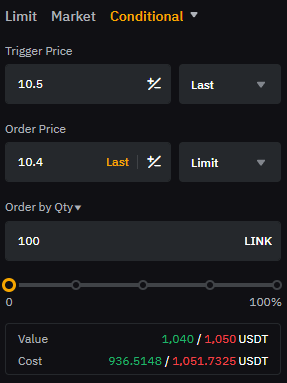
Depending on how such an order is configured, we can become either a maker or a taker.
This is an order to buy or sell an asset at a specified price or better. It is used if you want to buy an asset cheaper than the current market price or sell it higher.
Which Order Type Is the Cheapest?
In futures arbitrage, it’s important to save on fees. If we ignore this, we lose profit and reduce our overall earnings.
Carefully review the fee schedule in the fees section:
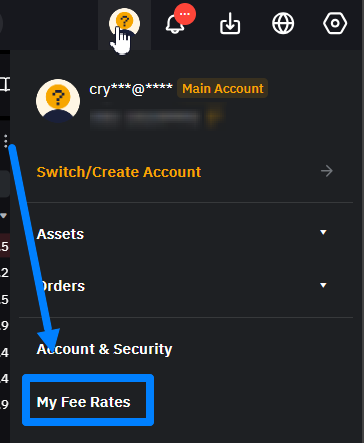
There, you can see maker and taker fees across different markets:
Example of maker and taker fee levels across different markets
As shown in the figure above, in any market the most cost-effective order is the one where we act as a maker.
For example, if we open a $1,000 spot position in LINK using a limit order, we pay 0.1% as a maker, which is $1, instead of 0.18% as a taker, which would be $1.80. This way, we save $0.80.
In arbitrage, especially active arbitrage, we often open and close trades. Since the exchange charges fees on each trade, it’s important to choose the most cost-effective order type to minimize costs.
RECOMMENDATION: In futures arbitrage, we use limit orders due to their simplicity and cost savings. BUT! For beginners, it can be difficult to work the order book fast enough to open and close positions quickly, so we recommend studying the Limit Order + Market Order entry approach.
How does it work?
Assess the liquidity in the order books. Where you see that limit-order rows have less volume — open with a limit order on that exchange; and where there is more volume — open with a market order on the other exchange!
Always enter in parts! For example, you enter 1,000 coins with a limit order in a long position, and 800 coins get filled — then you open 800 coins with a market order in a short position on the other exchange, and continue like this until you reach the desired size!
Want to learn more about crypto arbitrage?
Get a subscription and access the best tool on the market for arbitrage on Spot, Futures, CEX, and DEX exchanges.